Pick Cell
A robot cell that only exists in simulation, for now. An arm learns to sort parts off a conveyor while you watch its camera, its decisions and its score. When something looks wrong, you stop the clock and step it forward yourself.
tatolab new --sample pick-cell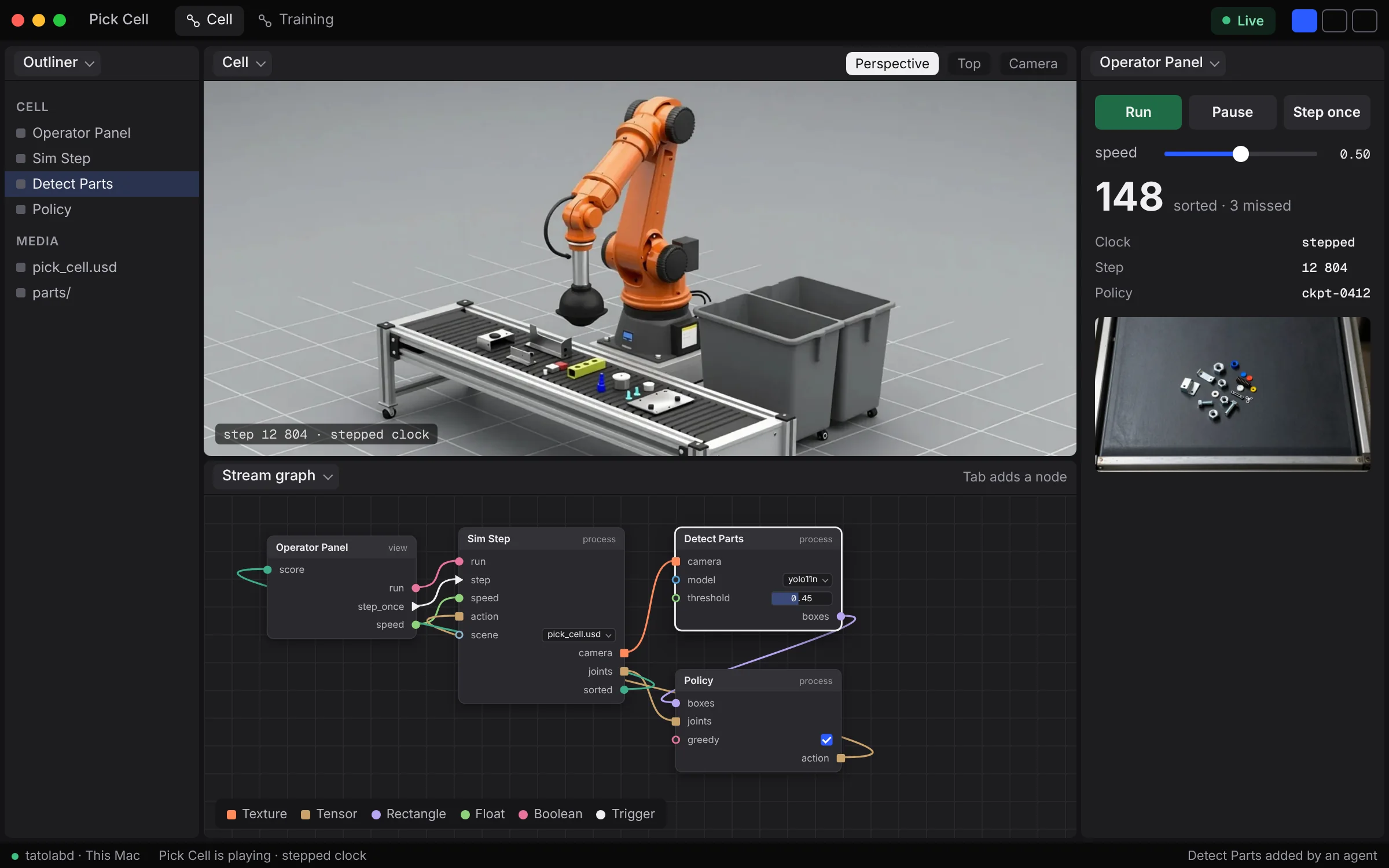
How it works
Operator Panel
A panel you designA web page with Run, Pause and Step once, a speed slider and the live score. It's the only thing the operator touches.
Sim Step
The simulatorMoves the world on by one step: the arm, the belt and every part on it. It runs in Python, on the physics engine you choose.
Detect Parts
A vision modelLooks through the simulated camera and boxes every part it finds. It runs on the graphics card.
Policy
The decisionTakes the boxes and the arm's joints and picks the next move. The clock waits for it before it steps.
Build the panel as a web page.
The operator panel is a web page you write, plus one small file that lists its pins: what goes in and what comes out, each with its type. It shows up in the stream graph as a node, and you wire its buttons to whatever they should drive.
A panel can show the live picture as well, so the person running the cell never has to look at the graph.
Read the docstatolab_view.json
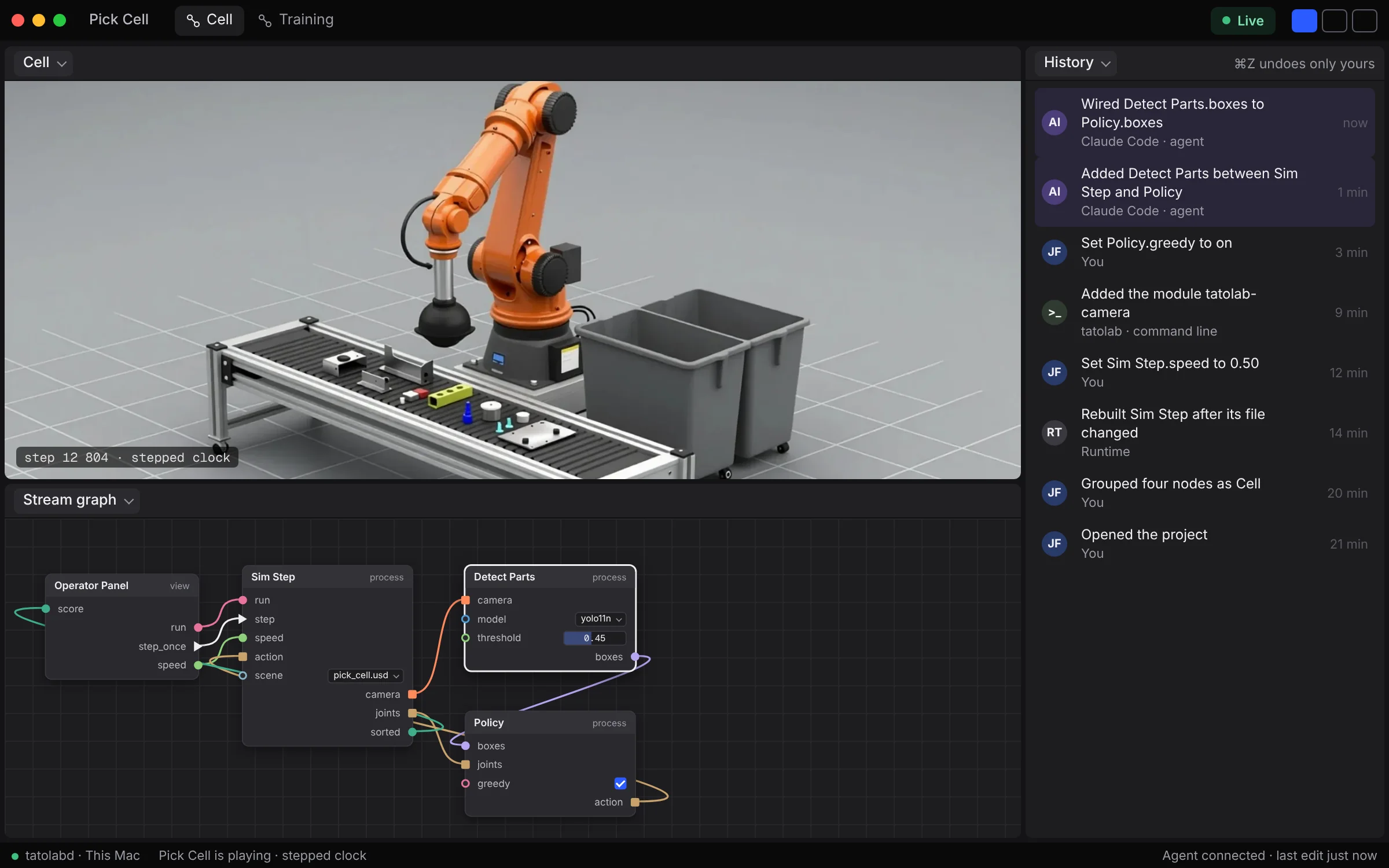
An agent added a node mid-run.
Detect Parts wasn't added by hand. An agent wired it in while the arm was sorting. History lists the edit under the agent's name, and your undo leaves it alone.
Run it on your machine.
Tato Studio is free and open source. You won't be asked to sign in, and there's no licence key to lose.
orbrew install --cask tatolab/tap/tato-studio
The engine is GPL-3.0-only. Tato Studio is AGPL-3.0-only, or a commercial licence from Tatolab LLC. Read the licences